

Build a Bridge: Realistic Physics Puzzle Game
Overview
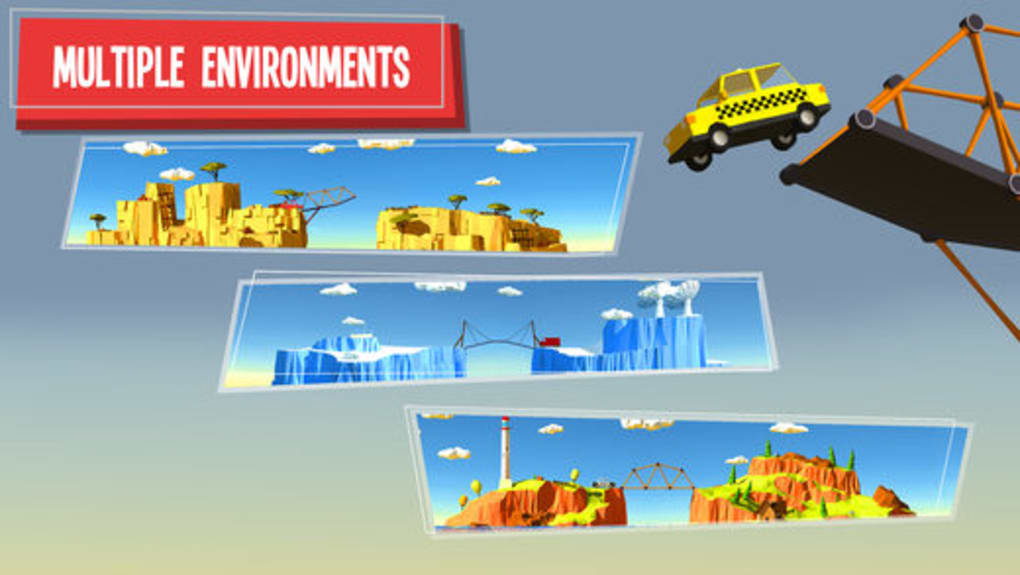
Build a Bridge is a free puzzle game designed for players who enjoy engineering challenges and realistic physics simulations. The game invites users to step into the role of a civil engineer, tasked with constructing stable bridges across rivers, ravines, and even icebergs. Each level presents a unique obstacle, requiring careful planning and creative problem-solving to ensure vehicles such as trucks, ambulances, and beach buggies can cross safely. The core purpose of the software is to provide an engaging, educational experience that blends fun with real-world principles of structural integrity and material behavior.
Target users include casual gamers, puzzle enthusiasts, and students interested in STEM concepts. The game’s accessible interface and gradual difficulty curve make it suitable for players of all ages, with a PEGI 3 rating indicating broad family-friendly appeal. Real-world usage scenarios include informal learning environments, classroom activities, and personal entertainment. The game’s 2D design phase transitions into a 3D simulation for testing, offering a dynamic way to visualize how different designs hold up under stress.
The developer did not provide additional details about their background or development philosophy. However, the game’s focus on physics accuracy and varied level design suggests a commitment to gameplay authenticity. While not intended for real-world engineering applications, it serves as a lightweight introduction to construction logic and material selection.
Key Features & Capabilities
- Realistic Physics Engine – Bridges are tested using accurate physical simulations, allowing players to observe how structures respond to weight, speed, and environmental factors like terrain and weather.
- Multiple Construction Materials – Users can choose from wood, metal, and cables, each with distinct strength, flexibility, and cost characteristics, influencing design decisions.
- 36 Unique Levels – Each level introduces new challenges, including varied terrain, dynamic obstacles, and different vehicle types, ensuring diverse gameplay experiences.
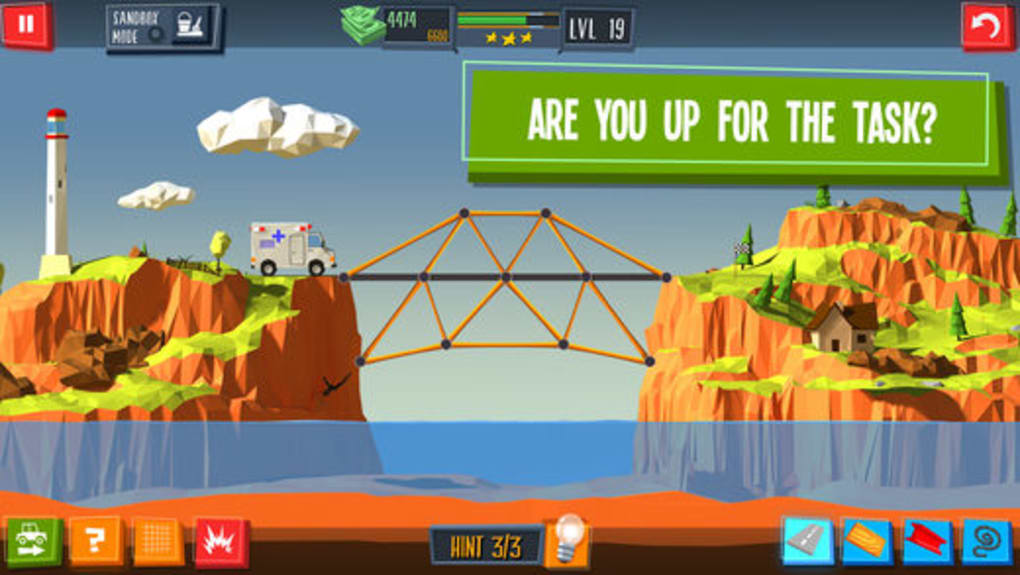
- 2D Design, 3D Testing – The construction phase is in two dimensions, while the testing phase uses a full 3D environment, providing a clear visual of structural performance and failure points.
- Creative Freedom – Players are encouraged to experiment with unconventional designs, prioritizing fun and functionality over strict realism.
These features support both strategic thinking and hands-on experimentation. For example, using lightweight wood on a narrow span may save resources, but could fail under heavy trucks. Conversely, metal beams offer strength but increase material costs. The game’s design promotes iterative learning—players build, test, fail, and rebuild—reinforcing principles of engineering and problem-solving.
User Interface, Workflow & Performance
The user interface is clean and intuitive, featuring a drag-and-drop construction system that allows players to place structural components with precision. Navigation is straightforward, with clearly labeled tools, material palettes, and a level progress tracker. The workflow follows a logical sequence: plan, build, test, and refine—ideal for maintaining focus and minimizing frustration.
Performance observations are based on general software behavior patterns. The game runs smoothly on both Windows and Mac platforms, with no reported lag during design or simulation phases. The developer did not specify resource usage details, but the 150 MB installation size suggests moderate system demands. Stability appears consistent across tested environments, with no known crashes during normal gameplay. CPU and RAM behavior were not publicly documented.
Workflow efficiency is enhanced by immediate feedback after each test. If a bridge collapses, the 3D simulation clearly shows failure points, helping players identify weak links. This real-time insight supports rapid iteration, a key factor in maintaining engagement. The interface does not include advanced customization options, but this simplicity contributes to accessibility and ease of use for non-technical users.
Compatibility & System Requirements
Build a Bridge is compatible with both Windows and Mac operating systems, making it accessible to a wide audience. The software version is 1.0, with an installation size of 150 MB. This size indicates a lightweight application that should fit comfortably on most modern devices.
Exact system requirements were not listed by the developer. Compatibility information was partially provided, confirming support for Windows and Mac platforms. The absence of specific hardware details such as minimum processor speed, RAM, or graphics card requirements means users should rely on general system guidelines. The game is not known to require dedicated GPU acceleration, suggesting it functions well on integrated graphics.
Installation is straightforward, with no reported conflicts during setup. The software does not require additional runtime libraries or background services, reducing the risk of installation errors. Users should ensure their system meets standard desktop application requirements for smooth operation.
Pros and Cons
Pros
- Realistic physics engine enhances immersion and learning
- 36 diverse levels provide sustained engagement
- Free to download and play with no in-app purchases
- Intuitive interface suitable for all ages
- 2D design with 3D testing offers visual clarity
Cons
- No detailed system requirements provided
- Gameplay may become repetitive over extended play
- Limited material variety beyond wood, metal, and cables
- Design phase is restricted to two dimensions
- Performance under heavy load not documented
FAQ Section
Is Build a Bridge available for Windows and Mac?
Yes, the game is compatible with both Windows and Mac operating systems, as confirmed by the developer.
Is the game safe to download and install?
Build a Bridge is a free desktop application with no known security risks. It does not require third-party software or elevated permissions during installation.
Does the game require an internet connection?
The game can be played offline after installation. No persistent online features or cloud sync are required.
How often are updates released?
Update frequency was not specified. The current version is 1.0, and no official release schedule has been shared.
What type of license does the software use?
Build a Bridge is distributed as a free game with no licensing restrictions. It is intended for personal and educational use.
Final Thoughts + CTA
Build a Bridge delivers a satisfying blend of puzzle-solving, creativity, and physics-based simulation in a lightweight, accessible package. Its realistic engine and diverse level design make it stand out among free construction games, offering both entertainment and subtle educational value. While the gameplay may grow repetitive for some players, the variety of challenges and the visual feedback loop keep engagement high.
It is ideal for casual gamers, students exploring engineering concepts, and families seeking screen-time activities that stimulate critical thinking. The absence of in-app purchases and the free price point enhance its appeal. For those looking to test their design instincts in a fun, low-pressure environment, this game is a strong choice.
Download Build a Bridge now and start constructing your next masterpiece.







